We're launching a new EPOS button layout designed to speed up service. A new card payment button will send the total order amount straight to your card machine.
You can still quickly and easily access the pay screen when needed for more complex transactions.
You can try the new button layout now by enabling the setting on your back office (see below).
Note: Faster card payments require Tabology EPOS or Mini EPOS v1.95+ and iOS 15+
We'd love your feedback ahead of the full rollout.
To enable the new layout, go to Setup > EPOS > Other settings
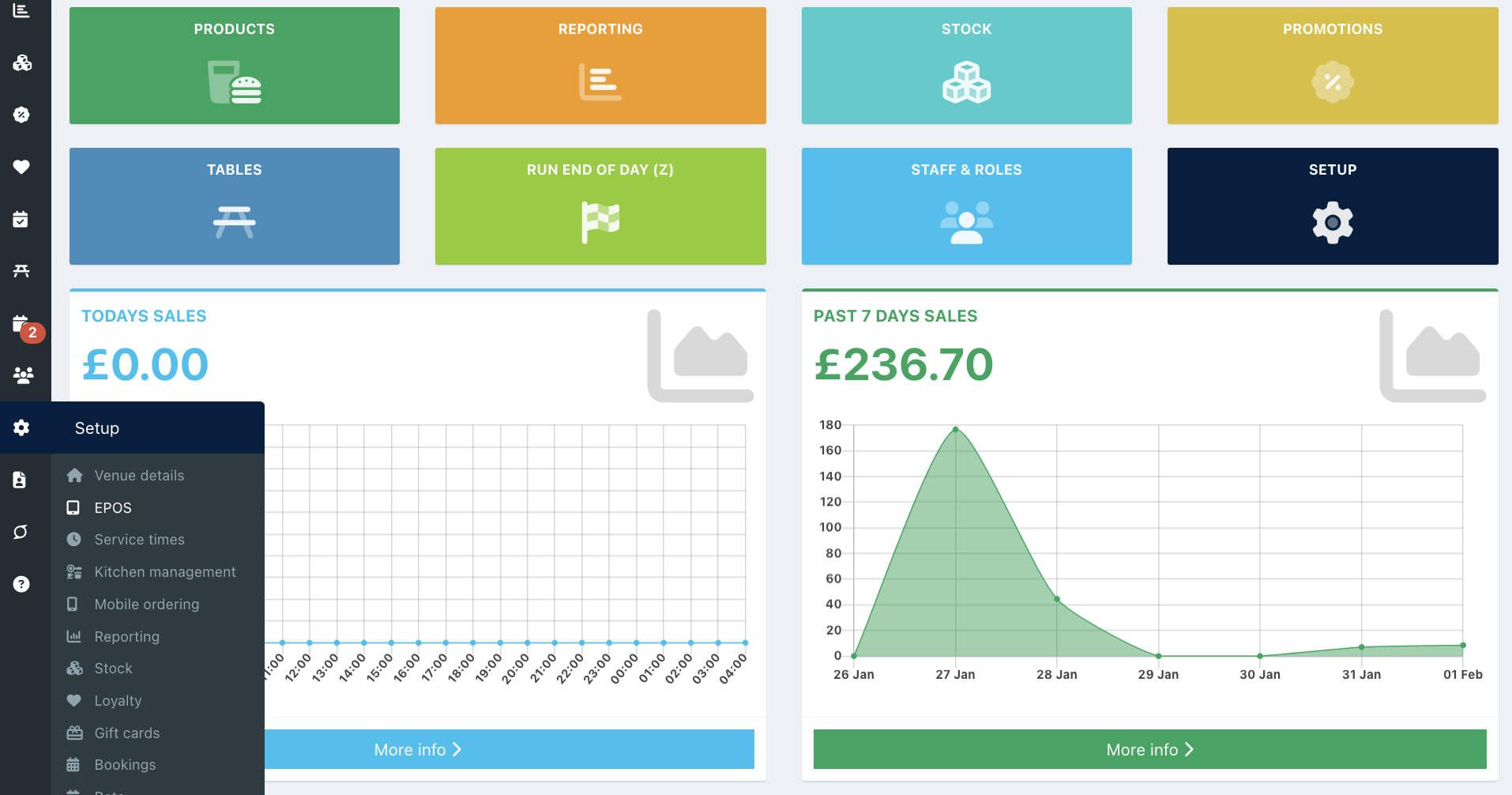
Switch the Try new EPOS layout toggle to On. Then click Save from the bottom of the screen.

All of your EPOS devices and Mini EPOS devices will now show the new layout.
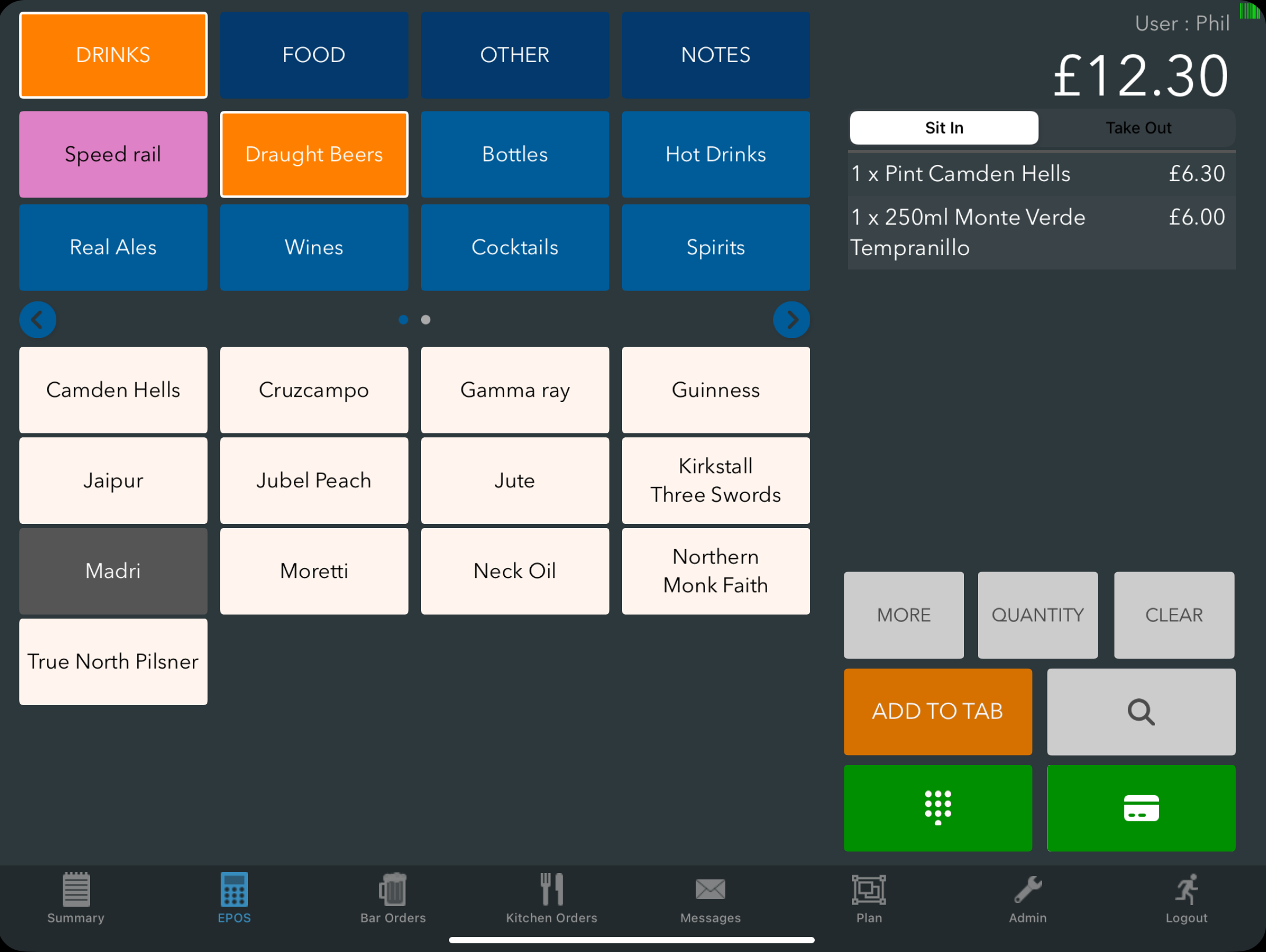
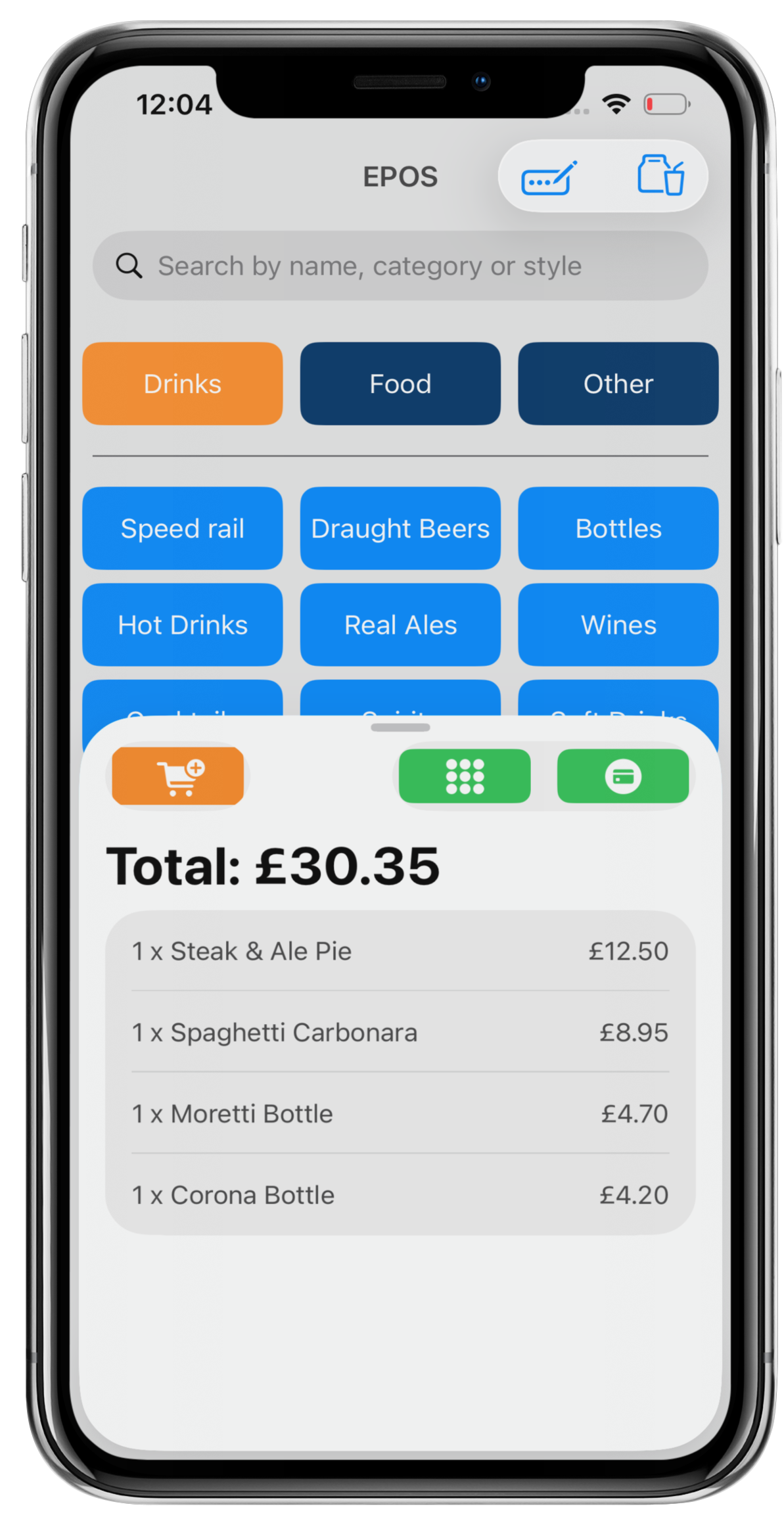
See Taking payments with the new EPOS screen layout for a full description of the new buttons and options.
Was this article helpful?
That’s Great!
Thank you for your feedback
Sorry! We couldn't be helpful
Thank you for your feedback
Feedback sent
We appreciate your effort and will try to fix the article