You can set sales emails to be sent out every day, week and/or month, giving you a snapshot of how your business is performing, including:
- Total sales with comparisons vs last week and last year
- Spotlight sales
- Top and bottom selling products
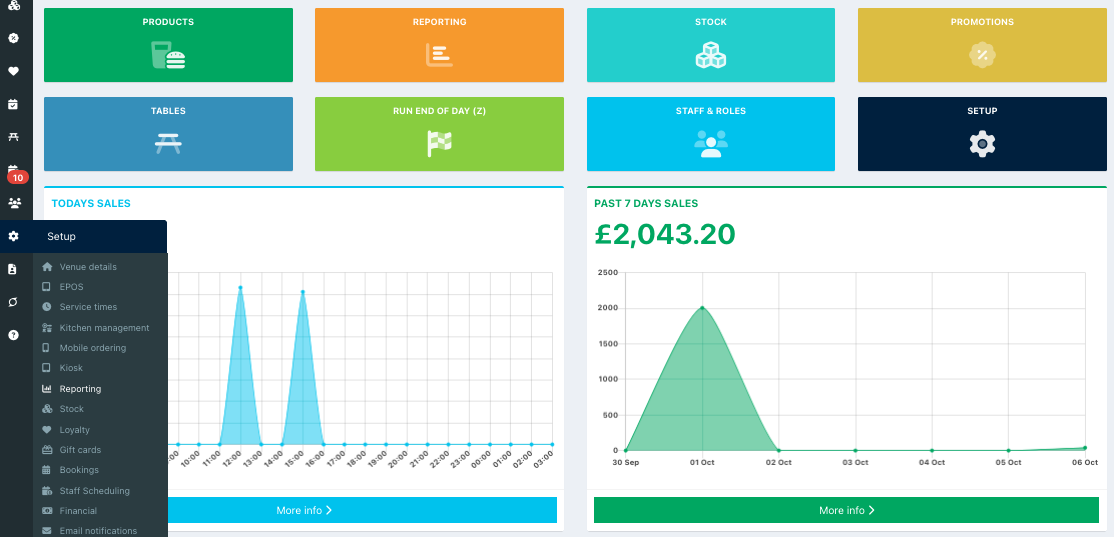
To turn on sales emails and configure the information you would like to include in them, go into your back office and select Setup > Reporting from the left-hand navigation.
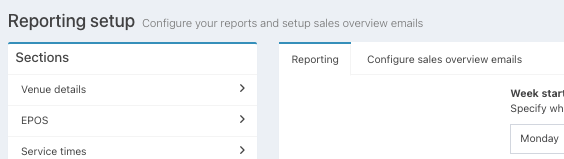
Then click the Configure sales overview emails tab.
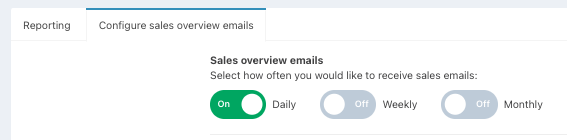
At the top of the screen, you can toggle how often you would like your sales email(s) to be sent:
- Daily
- Weekly
- Monthly
You can then configure the email sections and choose what information you would like to see using the toggles.
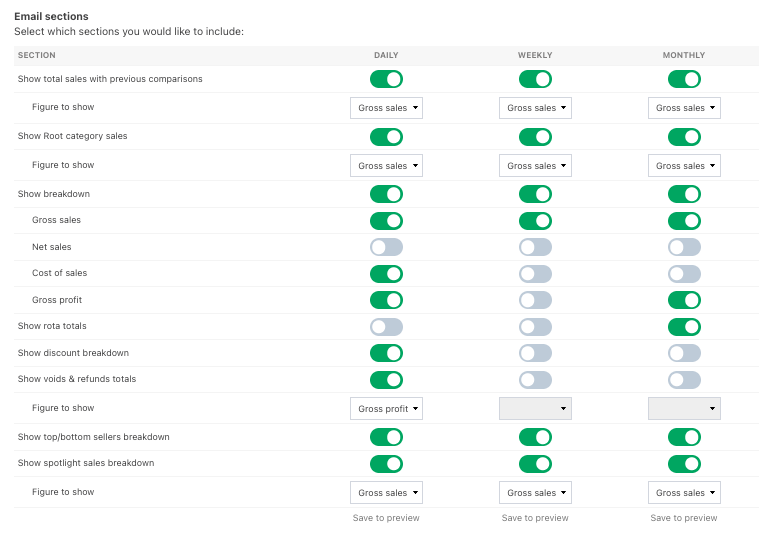
After configuring your sales emails, click the blue Save button. You can then click the blue Preview button to see how your Sales emails will look.

Was this article helpful?
That’s Great!
Thank you for your feedback
Sorry! We couldn't be helpful
Thank you for your feedback
Feedback sent
We appreciate your effort and will try to fix the article